AutoLXB User Manual
AutoLXB is an Android automation framework for real devices. It lets you describe a task in natural language, then uses the on-device core to launch apps, navigate pages, inspect screenshots, click, swipe, input text, and reuse saved task routes.
Typical use cases include:
- Run a one-off phone task, such as opening an app and completing a check-in.
- Save stable work as task templates with target app, playbook, and primary route.
- Compose multiple task templates into workflows and run them manually or from triggers.
- Run a workflow at a fixed time, such as a daily morning workflow.
- Trigger a workflow from a notification, such as handling a message from a specific app.
- Export and import task template / workflow portable bundles, then adapt them locally on another device.
Demo video
The video below shows the AutoLXB workflow, including task execution and route reuse. For detailed task-route editing and import/export instructions, continue reading the task tutorial.
If the embedded player does not load, open: https://www.bilibili.com/video/BV114RbBfEou
Architecture
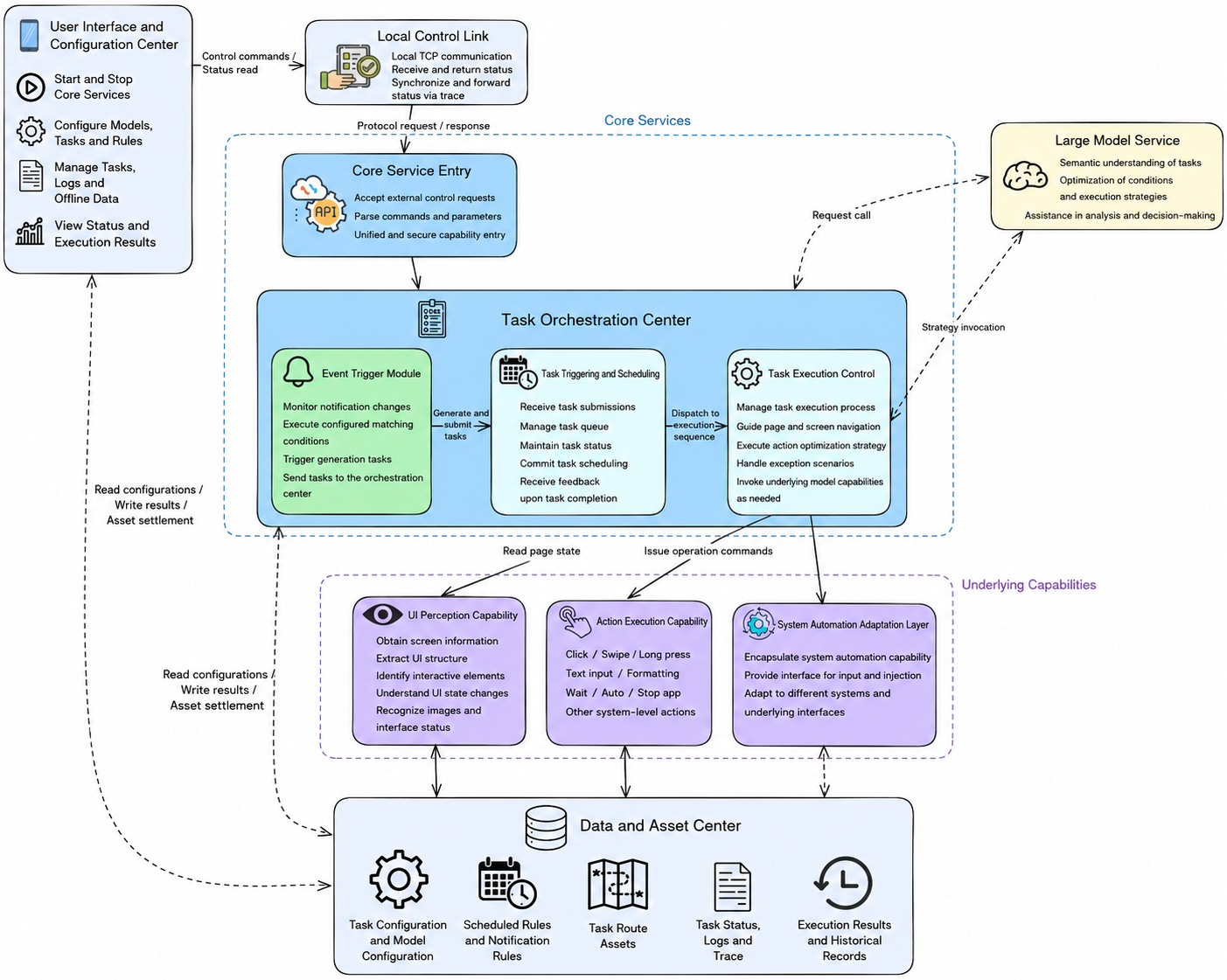
AutoLXB consists of the Android app, the on-device core, perception and execution modules, model services, and the task-route system. The app is used to create and configure tasks. The core runs the state machine, reads screen information, calls the model, executes actions, and materializes reusable routes after successful runs.
Manual structure
This manual focuses on using AutoLXB:
- Quick Start: install the APK, start core, and configure the model.
- Task Tutorial: create quick tasks, task templates, workflows, and manage template routes.
- Configuration: understand common configuration options.
- Trace: inspect runtime logs and provide useful information when reporting issues.